Best Nugget Ice Makers
Buying Guide · Smart & WiFi Nugget Ice Makers

The ice maker has an app now. Here’s what it is actually for.

A phone app on a countertop ice maker sounds like a solution hunting for a problem, and for most of what it does, it is. But two or three of its functions are genuinely useful, and the rest are a reason the connected version costs more than the plain one. We compared what the three current WiFi-connected nugget makers state their apps actually do, and what you give up by skipping the feature entirely.

By Ilane TallUpdated October 23, 2026Research-based — no testing lab, no invented scores

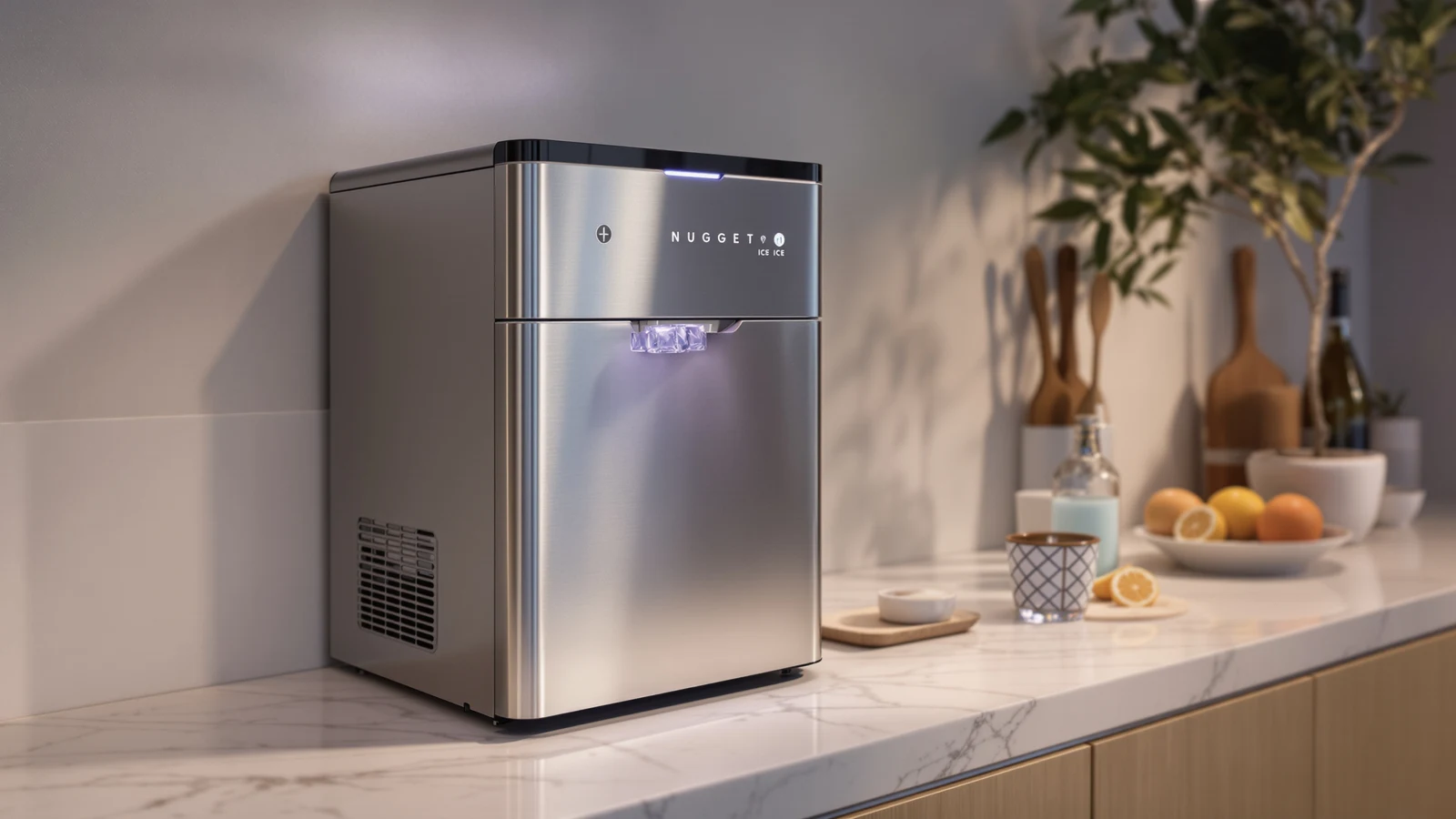
Stainless-steel countertop nugget ice maker with a digital control panel on a kitchen counter beside a glass of soft chewable ice
Affiliate disclosure: we may earn a commission if you buy through the Amazon links on this page, at no extra cost to you. See how we picked below.

By Ilane Tall · Updated October 23, 2026 · Research-based.

Nobody asked for an ice maker you control from your phone, and yet here we are: three of the countertop nugget machines sold in the US right now ship with app and voice control as a headline feature, and all three charge more for the privilege than the plainest machines in the category. That is a reasonable thing to be skeptical of. An appliance that makes compacted ice pellets in a bin that holds a few pounds at a time is not an obvious candidate for a network connection, a cloud account and a companion app.

The skepticism is mostly earned. Most of what these apps do is restate information that is already on the machine’s own display, or add a layer of setup — account creation, WiFi pairing, app permissions — for a convenience you could get by just walking over and pressing a button. But a handful of functions are genuinely different from anything a non-connected machine can do, and they are worth separating from the marketing noise before you decide whether to pay extra for them. This guide goes through what the app actually controls, which of those functions change how you use the machine day to day, and when the honest answer is to buy the version without WiFi at all.

What the app does

What an app on an ice maker actually controls

Strip away the marketing copy and a smart nugget ice maker's app is doing one of a small number of things: starting or stopping an ice-making cycle remotely, running the self-clean cycle on a schedule or on demand, showing you the water-tank or bin-full status from another room, and routing voice commands from an assistant like Alexa or Google Assistant into the same start/stop/clean functions. None of this is a new capability invented by WiFi — every one of these actions already exists as a physical button on the machine. What the app changes is where you have to be standing when you do it.

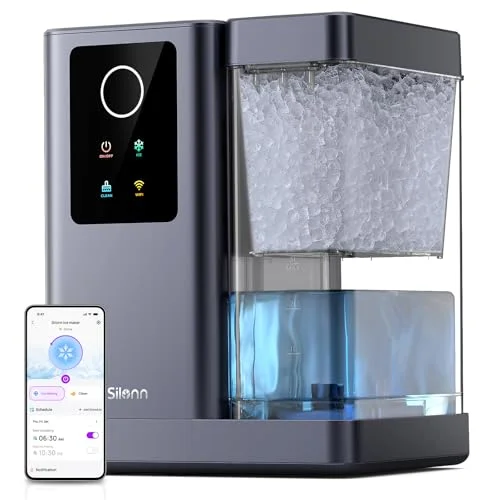
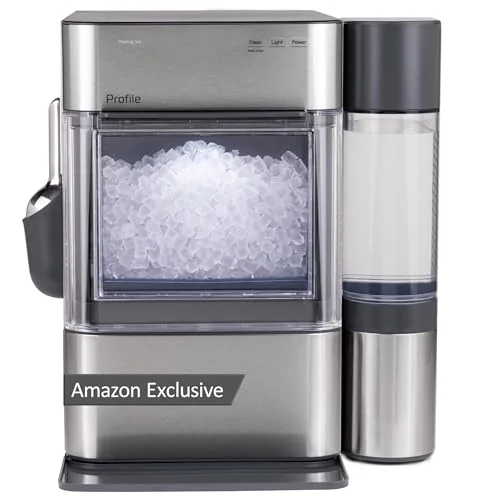
That is a meaningful distinction, and it is also the honest limit of the category. The app on the Silonn Nugget Ice Maker, which the listing states includes APP & Voice Control, gives you the same self-clean and start/stop controls the machine's own panel offers, just reachable without being in the kitchen. The GE Profile Opal Ultra's WiFi connection, per its listing, works the same way — remote monitoring and control layered over the physical panel, not a replacement for it. Neither listing claims the app unlocks ice chemistry or output the unconnected version of the same machine can't produce, because it doesn't. The hardware that actually makes ice — the compressor, the auger, the reservoir — is identical with or without WiFi; the app is a second way to talk to the same control board.

That matters for how you should evaluate the feature. If what you want is more ice, faster, with a bigger tank, the app is irrelevant to that decision and you should be comparing tank size and daily output instead — see our guide to nugget ice makers for a home bar for that comparison. The app is relevant only if the specific problem you have is remembering to start the machine, or wanting to check on it without walking over.
The one that matters

Scheduling: the one genuinely useful function

Of everything an ice maker's app can do, scheduling is the function that changes behavior rather than just relocating a button press. The problem it solves is specific and real: nugget ice makers take time to produce a usable batch — the Silonn listing states first ice in a stated window on a 3-litre tank, and these machines generally need several minutes before the bin has enough ice to use — and nobody wants to stand in the kitchen waiting for that window before guests arrive or before the first drink of the evening. A machine you can tell, the night before or that morning, to start running two hours ahead of a specific time solves that without requiring you to be present at the start of the cycle.

This is also the function where "connected" earns its keep over a simple mechanical timer, because a phone-based schedule can be changed on the fly — pushed back an hour if plans shift, cancelled entirely if they fall through — in a way that a machine with only a physical dial cannot. If there is a single reason to pay more for the WiFi version of a nugget ice maker over the otherwise-identical plain model, scheduling before guests arrive or before a daily routine is it. Every other function in the app is a convenience; this one changes whether the ice is ready when you need it.

The caveat is that scheduling only helps if your use of the machine is predictable enough to schedule. A household that makes ice sporadically, whenever someone happens to want a drink, gets little from a feature built around planning ahead. The honest audience for this function is specifically people who know in advance when they'll want a full bin — a standing weekend gathering, a daily happy hour, a predictable dinner routine — not someone hoping the app will make an unpredictable habit more convenient.

Worth having, rarely worth paying for alone

Low-water alerts, and whether you need telling

Every countertop nugget ice maker, connected or not, already has a low-water safeguard: the machine stops itself and the panel shows a light or a message when the reservoir runs dry, because running the compressor without water is what breaks it. The app's contribution to this is a notification pushed to your phone instead of a light on the unit itself — useful if you're in another room or out of the house and want to know the machine has stopped, less useful if you're usually in the kitchen anyway and would notice a quiet machine within the hour.

Whether this is worth anything to you comes down to a simple question: do you need telling, or would you notice? A single-person household that refills the tank once a day as part of a routine rarely needs a push notification to know the water is low — the routine already covers it. A household where the ice maker runs unattended for long stretches, or where whoever refills it isn't the one who started the cycle, gets real value from a phone alert that the GE Profile Opal Ultra's connected app provides and a disconnected machine cannot. It is a genuine feature, just a narrower one than the marketing copy around "smart alerts" suggests, and on its own it is rarely enough reason to pay the premium for WiFi — it is a feature you get alongside scheduling, not usually one you'd buy for by itself.

A smaller audience than it sounds

Voice control, and the household that uses it

Voice control is the function most likely to be demonstrated in a product video and least likely to get used after the first week. Asking an assistant to start the ice maker is a novelty the first few times, and for most adults reaching for a glass, walking to the counter and pressing a physical button is not meaningfully slower or more effortful than saying a command out loud and waiting for a response. The Silonn listing states APP & Voice Control as a feature; in practice, voice is the same start/stop/clean function already available on the app and the panel, routed through a third interface.

Where voice control stops being a novelty and starts being genuinely useful is a specific household: someone for whom reaching the counter, pressing a small button or navigating a phone app is a real obstacle rather than a trivial one — limited mobility, a hands-full moment while cooking, a kitchen laid out so the machine sits somewhere inconvenient to reach. For that household, being able to say "start the ice maker" from across the room is a real accessibility win, not a gimmick. For everyone else, it is the feature that gets used in the first week and then quietly ignored, which is worth knowing before it factors into the purchase decision.

The honest caveat

What happens to a smart machine when the service ends

This is the question the marketing copy never answers, and it is the one that matters most for a long-term purchase. A WiFi-connected appliance depends on a manufacturer's cloud service staying online: the servers that handle the app's remote start/stop commands, the account system that pairs your phone to your specific machine, the infrastructure behind voice-assistant integration. None of that is guaranteed to exist in five or ten years. Smart-home manufacturers across categories have discontinued cloud services for older products before, and when that happens, the connected features stop working regardless of whether the physical machine is fine.

The reasonable assumption for any WiFi appliance, including these, is that the physical ice-making hardware — the compressor, the auger, the control panel's physical buttons — keeps working independently of the cloud connection, because that is how these systems are generally built: the app is a layer on top of a machine that functions on its own. What you lose if a manufacturer discontinues the backend is specifically the app, the remote scheduling and the voice integration — the convenience layer, not the ice. We don't have a published end-of-support date or service commitment from any of these three manufacturers to point to here, and no listing states one, so treat the connected features as a convenience you have today, not a guarantee for the life of the machine. If that risk bothers you more than the convenience appeals to you, that is a reasonable basis to buy the plain version instead.

Side by side

The three smart machines, compared

ModelBest forDaily outputConnected featuresPriceGet it
GE Profile Opal Ultra Scheduling and alerts done properly 38 lbs WiFi, 1-gallon side tank $499.00 Get it
Silonn Nugget Ice Maker with App & Voice Control Voice control plus a large tank 44 lbs App & voice control, 3 L tank $251.69 Get it
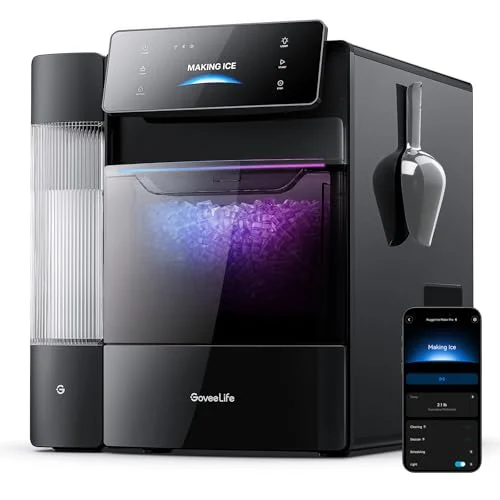
GoveeLife Smart Nugget Ice Maker Pro Highest output, quieter running 60 lbs Smart app control, 40 dB $349.99 Get it
The picks

Our picks, and when to pay for the plain version instead

01Best connected

GE Profile Opal Ultra

Best for scheduling and low-water alerts, not just a gimmick

38 lbs/day·WiFi app control·1-gallon side tank·3-lb removable bin

The Opal Ultra is the machine in this category most built around its own ecosystem, and its connected features read as genuinely designed rather than bolted on: remote start and stop, status checks from the app, and the scheduling function that is the single clearest reason to pay for a connected nugget maker over a plain one. The side tank that detaches for filling means the low-water alert is backing up a machine that already needs fewer refills than most, which is the combination — big tank, fewer interruptions, a phone telling you when it still needs attention — that makes WiFi worth the premium here specifically.

Pay for this one if you want scheduling and alerts built around a machine that already minimizes refills. Pay for anything less if the app is the only reason you're considering it.

GE Profile Opal Ultra nugget ice maker
Price
$499.00
Check price →
02Best for voice control

Silonn Nugget Ice Maker with App & Voice Control

Best for a household that actually wants hands-free control

44 lbs/24h·App & voice control·3 L water tank·Self-cleaning

The Silonn's listing leads with app and voice control sitting alongside a self-cleaning cycle and a 3-litre tank, and it's the cheapest of the three connected machines here by a wide margin. If voice control specifically is the feature you want — because reaching the counter is genuinely inconvenient for someone in your household, not because it sounds neat in a demo — this is the machine that offers it without also charging for a second feature set you won't use. The 3-litre tank is large enough that the scheduling function matters less here than on a smaller-tank machine, since a full tank already runs for hours unattended.

The 3-litre tank already does most of the unattended-running work; voice control is what you're actually buying with the app premium here.

Silonn nugget ice maker with app and voice control
Price
$251.69
Check price →
03Highest output

GoveeLife Smart Nugget Ice Maker Pro

Best for the most ice, app control included rather than the main event

60 lbs/day·6-minute first ice·40 dB stated noise·Smart app control

At 60 lbs a day, the GoveeLife Pro states the highest daily output of any machine covered in this guide, and a stated 40 dB noise figure that positions it as a quieter runner than most countertop machines — worth weighing against the running-cost and noise detail in our guide to what a nugget ice maker costs to run and how loud it is. The smart app control here is part of the package rather than the reason to buy it; the honest read is that you're paying for output and a stated 6-minute first batch, with app scheduling and remote status as an included extra rather than the main event.

Buy this one for the output number and the quieter running figure. The app is a bonus on top, not the reason to choose it over the Ultra.

GoveeLife Smart Nugget Ice Maker Pro
Price
$349.99
Check price →
The case against

When to pay for the plain version instead

None of this is an argument that everyone should buy the connected version. If your use of a nugget ice maker is simple — you want ice, you're usually in the kitchen when you want it, and you don't plan refills or gatherings days in advance — a plain machine does the identical job of actually making ice for less money, with one fewer account to create, one fewer app to keep updated, and nothing that depends on a manufacturer's server staying online for the life of the appliance. The ice itself, the part that matters most, is not better on the connected machine. It is the same compressor, the same auger, the same soft chewable pellets.

The honest test is to ask which specific function from this guide you'd actually use: scheduling ahead of a predictable routine, a low-water alert because the machine runs unattended somewhere you won't notice it stop, or voice control because reaching the counter is a real obstacle rather than a minor one. If none of those describes your household, the app is a cost you're paying for a feature set you'll use once and then ignore. If one of them genuinely does describe how you'd use the machine, the premium buys something real. For a broader look at which spec actually governs how often you'll be topping off water in the first place, see our guide to nugget ice makers with a removable water tank.

Our method

How we picked — and what we can’t tell you

What we did

Listing claims, compared directly

We compared the published feature descriptions, stated daily output and current Amazon prices for the three countertop nugget ice makers sold in the US that advertise app or WiFi connectivity as a named feature, then separated what each listing states the app actually does — scheduling, remote start/stop, alerts, voice routing — from marketing language that doesn't map to a specific function. Where a spec isn't stated in the listing, we say so rather than guess at it.

What we didn’t

We don’t run a testing lab

We do not physically test these machines, we do not own them, and we do not publish invented scores or ratings. We have no cloud-service uptime data, no manufacturer end-of-support commitment and no verified review sentiment for these specific products, so none of those appear here as fact. What we can do honestly is read each listing's own claims about its connected features and set them against what a disconnected machine already does on its own panel.

FAQ

Common questions

Does a smart nugget ice maker make better ice than a plain one?

No. The app and WiFi connection control the same compressor, auger and reservoir that a non-connected machine uses, and none of the listings for these three machines claim the connected version produces different ice. What changes is how you start, stop and monitor the cycle — from a phone or a voice assistant instead of only the machine's own panel — not the ice itself.

What's the one smart feature actually worth paying for?

Scheduling. Being able to set the machine to start a cycle ahead of a predictable moment — before guests arrive, before a daily routine — is the function a phone app does better than a simple mechanical timer, because it can be changed on the fly if plans shift. Low-water alerts and voice control are real features too, but they serve narrower situations: alerts matter most if the machine runs unattended somewhere you won't notice it stop, and voice control matters most if reaching the counter is a genuine obstacle rather than a minor one.

What happens to the app if the manufacturer stops supporting it?

We don't have a published end-of-support date from any of these three manufacturers, so we can't state when or whether that will happen. The reasonable assumption, based on how these systems are generally built, is that the physical machine and its own control panel keep working regardless of the cloud connection — what you'd lose is the app, remote scheduling and voice integration specifically, not the ice-making hardware itself.

Is voice control actually useful, or just a demo feature?

For most households, it gets used a handful of times and then quietly ignored, because walking to the counter and pressing a button isn't meaningfully slower than speaking a command and waiting for a response. It becomes a genuine accessibility feature rather than a novelty for anyone in the household for whom reaching the machine or operating a phone app is a real obstacle — limited mobility or a kitchen layout that puts the machine somewhere inconvenient.